Monday, 16 June 2014

[FREE APP] [iOS] FIFA WORLD CUP 2014 BRAZIL

Today FREE APP is the official app for FIFA WORLD CUP 2014 BRAZIL, named FIFA Official App made by FIFA. It is also featured in the Apple AppStore for US.

"You can take the World Cup everywhere you go" that's what this app is all about.


The Apple AppStore download link:
After installing, here is the icon look like at home screen:

The Logo:


First time opening the app, it will ask you for access to your location, so that it can adjust the time to your local time.


The FIFA Official App also ask permission to send push notification.


 The push notification:

FIFA Official App menus and features:
  1. Live
  2. News
  3. Teams
  4. Standings
  5. Awards
  6. Destinations
  7. Statistics
  8. Games


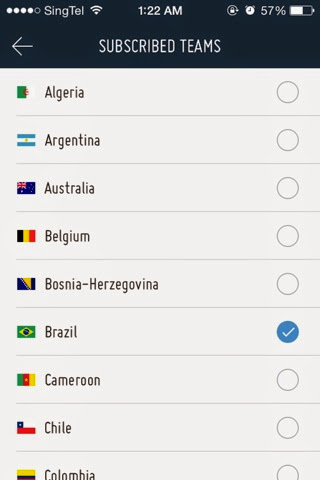
You can also choose favorite team to follow.

Don't worry, even after confirmation, you can change and even add your favorite team to follow.

You can customize the alerts such as: Full time results, Line-ups, Kick-off, Goals and even red card.

You can choose and add favorite teams to follow.
Live Menu. Unfortunately there is no options to watch the world cup for FREE here.
The Live menu only shows you what's the live match currently with all the descriptions and events happening during the game.

You can also share the live match to social media such as Twitter and Facebook.

News Menu. Tap to see the news.

 Teams menu. Here you can find all the participating teams and their FIFA ranking.

 Standings Menu. Here you can find standings for all the groups and teams.
 

Awards Menu. All the awards available, such as Golden Ball and Golden Boot.
 

 Destination menu. This menu is showing about the host country, including cities and stadiums.


Statistics Menu. Unfortunately when I tried accessing this menu, it returned me with "Information currently not available". I guess they still working on this part.
 
 Social. This shows all the total mentions shouted to the world.
 

Games Menu. Few games are available, such as McDonald's FIFA World Cup Fantasy where your goal is to build your fantasy dream team.
 

The left-side menu:


All I can say about this app is, this FIFA Official App: FIFA World Cup 2014 Brazil is heaven for world cup enthusiast.


Sunday, 15 June 2014

[FREE APP] [iOS] ReadQuick | Read Quick

Today FREE app is ReadQuick.

This app is also Apple AppStore App of the Week for 3rd week of June 2014.


As its name suggest, it is for reading news/articles quickly, or to learn how to read quickly.

The Apple AppStore download link:

After installing, here is the icon look like on the home screen:


First time opening this app, you will be asked to subscribe to the newsletter, enter your email if you would like to get newsletter or just cancel if you don't want or don't care about it.

This is the ReadQuick Main menu:
It has/can show articles from various sources, such as:
1. Featured
2. ReadQuick
3. Instapaper
4. Pocket
5. Etc

At the very bottom of the menu, you see 250 WPM which means that it will show 250 Words Per Minute.
Don't worry, if you feel that way too fast for you, you can adjust the speed using the slider. 
As the time goes by, you may want to increase your reading speed.

Inside Settings menu:

Inside Featured menu:


On the Featured menu, if you click MacWorld, it will show you news and articles posted on MacWorld

When one of the articles is clicked, it will show the first word, 2 buttons and 3 tab.
Double tap on screen to start read with the 250 WPM speed (or any speed that you set earlier).
Double tap one more time to stop it.

When finished reading the article, it will show your average speed and total time taken for it.

From the article reading screen:

If you swipe from left to right, the 1st tab will be shown.
There you can change your reading speed, night mode, character type and size.

From article reading, if swipe from right to left, the 3rd tab will be shown.
There you can give like to the article, delete, share, etc.


If you copied an URL, ReadQuick can also detect it and ask whether you want to import it to the list.

From the main menu, you can also add the article manually by pressing the "+ add article" button.
Then you can type in the address on the address bar.


For example, I add http://jilaxzone.blogspot.com.
Click on "+" button on right bottom corner of the screen to add it to the list.

Once added, it will convert the article to text only mode and give the estimation on how long it will take to read the article.
Well I don't really know how ReadQuick calculate this into time, but I think it count the words inside the article.

Pros:
1. Good app for those who like to learn how to read quickly.
2. Can add custom links and URLs

Cons:
1. Text only mode because this app is intended for reading quickly and not to stare at images or video.

Enjoy!

Saturday, 14 June 2014

Thursday, 12 June 2014

[FREE APP] [iOS] UNIQLO Wake Up - Wake up with music that changes with the weather

Today FREE APP is UNIQLO Wake Up App.


This App, I believe, will be permanently free.

UNIQLO, even though its main business is selling clothes, is now making so many free apps that does not have any relation to selling clothes.
One of the free app is UNIQLO Wake Up.

Here is the icon look on iOS:

This app has quite standard features for an clock/alarm app. It even almost the same as iOS Stock Clock App, except this app has World wide menu and a nice alarm song! Continue reading to find out more.

The app greetings:


It has 4 main menus:
  1. Clock menu
  2. Alarm menu
  3. World wide menu
  4. Settings menu

Clock Menu
Simply to shows what time it is now. First time opening the app after installing, it will ask to have permission to your location, this is needed to detect 2 things, the local time and the weather at current location.


Alarm Menu
To set an alarm. This is what makes the app is different from many of clock/alarm app.
When the alarm is ringing, the app will detect your current location and grab the weather information.


Then it will sing for you like this, my alarm is set at 6.30am and partly cloudy: "Good morning, it is 6.30am and the weather is partly cloudy".
When the time is moving from 6.30am to 6.31am and I didn't snooze or dismiss the alarm, it will sing the new time: "Good morning, it is 6.31am and the weather is partly cloudy".


World wide menu
I'm still not quite get what's this menu does, but from what I saw, it shows you peoples from all over regions, america, europe, africa, asia, australia with their own time or perhaps alarm time.


Settings menu
In the settings menu, the following can be configured:
  • Location > to detect automatically your location or to set to certain location manually
  • Alarm music vocals > to set the music vocals to English, mandarin or without any vocals
  • Temperature > to select between Celsius or Fahrenheit
  • Social media > to share the stuff to Facebook, twitter or other social media
Here is the App Store download link:
https://itunes.apple.com/us/app/uniqlo-wake-up/id515839388?mt=8

One thing this app (and other Alarm app) lacks of:
The app must be always opened or stay in the background.
If the app is killed/clean from the taskbar, then the alarm won't sound at the time it should ring the alarm.